





How to Align the IR “Shoot” Laser on Your SIRT Pistol
Align the IR “Shoot” Laser on Your SIRT Pistol

Use the iMarksman Metal Camera
Perfect alignment = accurate training. If you’re using a SIRT pistol with an IR (invisible) laser, this guide shows you exactly how to align it using the iMarksman metal‑enclosure camera, which can detect IR laser impacts with precision.

⭐ Why You Need the Metal‑Enclosure iMarksman Camera
Most cameras cannot “see” IR laser. The iMarksman/iDryfire metal camera is engineered with an IR‑sensitive sensor, making it the correct tool for:
-
IR laser alignment
-
IR‑based dryfire training
-
Precision calibration inside iDryfire software
Important: Plastic Cameras included with the iDryfire Target System do NOT detect IR laser. Only the metal‑enclosure iMarksman camera works for IR alignment.

📸 Recommended Setup
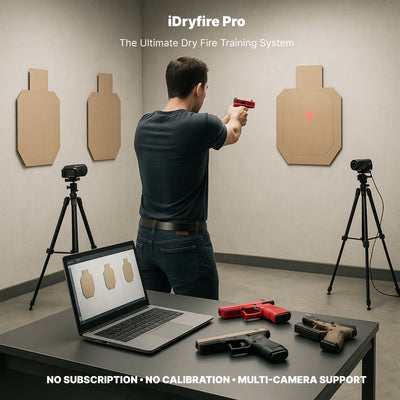
Position the camera so it has a clear view of your chosen target. The iDryfire software will display IR laser impacts in real time.
🔧 Step‑by‑Step: Aligning the IR “Shoot” Laser on Your SIRT Pistol
1. Ignore the Prep (RED) Laser
The red prep laser is only for trigger prep/reset practice. It does not need to be aligned with the sights.
2. Aim the Metal Camera at Your Target
The metal‑enclosure camera detects IR laser impacts instantly.
-
Open iDryfire software
-
Aim the camera at the target you want to use
-
Fire a few shots - the IR impacts will appear on screen
3. Adjust the IR Laser Alignment
Use the SIRT alignment screws to move the IR laser point until it matches your sight picture.
⚠️ Important Warning Do not over‑tighten the screws. Excessive force may strip the threads.
4. Confirm Final Alignment
Fire several shots from different distances (5–7 ft). Your IR impacts should match your sight picture consistently.
If the impacts drift, repeat micro‑adjustments.
🧩 Troubleshooting Tips
IR Impacts Not Showing?
-
Confirm you’re using the metal‑enclosure camera
-
Reduce ambient light or glare
-
Move the camera slightly closer
- Check the camera USB connection
Laser Appears Off‑Center?
-
Re‑check the alignment screws
-
Ensure the SIRT slide is fully seated
-
Verify the camera is level with the target
Prep Laser Interfering?
-
Disable prep laser mode in SIRT settings
-
Remember: prep laser is NOT used for alignment
🎯 Why Proper IR Alignment Matters
Accurate IR alignment ensures:
-
Realistic dryfire training
-
Correct shot placement feedback
-
Better skill development
-
Reliable performance inside iDryfire and iMarksman systems
Your training becomes consistent, measurable, and repeatable.
📞 Need Help?
If you have any questions, please ask before making adjustments - we’re here to help you avoid mistakes.
Leave a comment