





iDryfire® vs. Reactive Targets: What’s the Difference?
iDryfire® vs. Reactive Targets:
Don't Just Know You Missed - See Where
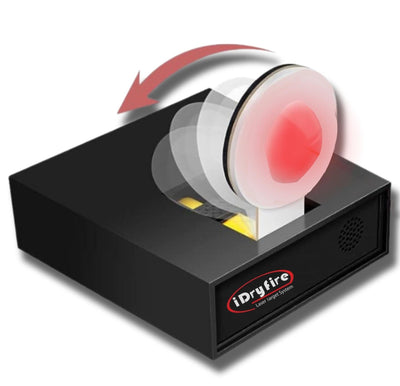
Reactive targets are a familiar tool for dry-fire and laser training. You aim, fire, and receive feedback when the target is activated.
But what happens when you miss? Did the shot go left, right, high, or low? How fast was the shot?
Reactive Targets: Immediate Hit Feedback
Reactive targets are designed to provide feedback when a shot activates a target. For many training drills, this can be useful because the shooter immediately knows whether the target was successfully hit.

It's simple and intuitive. However, hit-only feedback doesn't always tell you everything about the shot. If the laser misses the target, you may know that you missed - but not necessarily where the shot went or how the miss relates to your timing.
iDryfire®: More Information From Every Shot
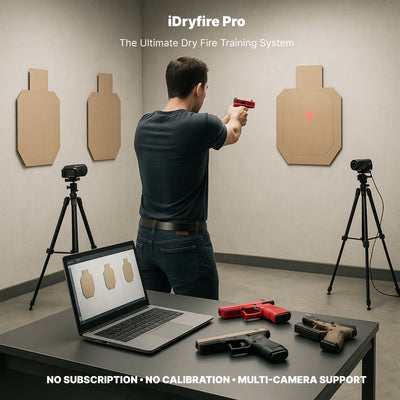
iDryfire takes a different approach to dry-fire training. The system can track shot placement and shot timing, giving you additional information to analyze your performance.

Shot 1 — Hit
Shot 2 — Hit
Shot 3 — Low
Shot 4 — Left
Shot 5 — Hit
Instead of simply counting three successful hits, you can examine the placement and timing of the shots.
That makes the misses useful information.
Don't Just Know You Missed
See Where
A miss can reveal a pattern.
If several shots consistently land low, for example, that information can become part of your training analysis. If your shots spread farther from the intended point as you increase speed, you can see the relationship between speed and placement.
Practice → Measure → Analyze → Adjust → Repeat
iDryfire® vs. Reactive Targets
The two approaches can serve different training purposes. Features vary between individual reactive-target products, so always check the specifications of the specific system.
| Feature | Reactive Targets | iDryfire® |
|---|---|---|
| Laser hit detection | ✓ | ✓ |
| Immediate hit feedback | ✓ | ✓ |
| Shot timing | X | ✓ |
| Shot placement | X | ✓ |
| Records information about misses | X | ✓ |
| Any Paper targets | X | ✓ |
| 3D objects | X | ✓ |
| Projector required | No | No |
| Multiple target setups | ✓ | ✓ |
| Multi-room training | Limited / varies | ✓ |
Another advantage of the iDryfire® approach is flexibility.
You don't need a projector or a dedicated projected image to create your training environment. You can use paper targets, printed targets, or suitable 3D objects as part of your training setup.
This allows you to create different environments based on your available space and training objectives. You can change the position of your targets, use multiple target locations, or create different setups for different training sessions.
NO PROJECTOR REQUIRED
Your physical target can be the target.
Your room can be the training environment.
Your setup can change from one session to the next.
Why Track Misses?
A successful hit tells you something. A miss can tell you something, too.
Consider two training sessions:
Session A
10 shots
8 hits
2 misses
Session B
10 shots
8 hits
2 misses
At first glance, the results look identical.
But what if the two misses in Session A were just outside the target, while the two misses in Session B were consistently far to one side?
The number of hits is the same - but the information about the shooter's performance is different.
When shot placement is combined with timing, you can gain additional information about what happened during the exercise.
Build Your Own Training Environment
With iDryfire®, you're not limited to a single reactive target. Create a training setup around your available space.
This flexibility allows you to change your training environment as your needs change.
iDryfire®: More Than a Target That Reacts
Reactive targets can provide useful immediate feedback.
But dry-fire training can involve much more than knowing whether a target reacted.
iDryfire® gives you the opportunity to look at the shot itself - its placement and timing, including shots that don't land inside the intended target area.
Don't just count your hits.
Understand every shot.
Ready to Train Smarter?
Explore iDryfire® laser target systems and build a dry-fire training setup around your own space, targets, and training goals.
SHOP iDRYFIRE® LASER TARGET SYSTEMS →
Leave a comment